
Seedance Timeline Prompt: Control 5s and 10s Clips Precisely
Learn a practical Seedance timeline prompt method for 5-second and 10-second clips with clear timing blocks, copy-ready templates, and fast debugging steps.
A lot of creators lose time on short video generation for one reason: the idea is clear, but the sequence is not.
You know the subject, the mood, and the visual style. But once the clip starts, the action pacing drifts. The ending frame feels random. The result looks close to what you wanted, not exactly what you needed.
A clear seedance timeline prompt fixes that problem.
This guide gives you a practical method built for real product constraints: 5-second and 10-second output lengths. You will get templates, rewrite examples, and a repeatable workflow you can use right away.
If you want to test while reading: Seedance AI Video Generator
TL;DR
- A strong seedance timeline prompt turns one idea into timed beats.
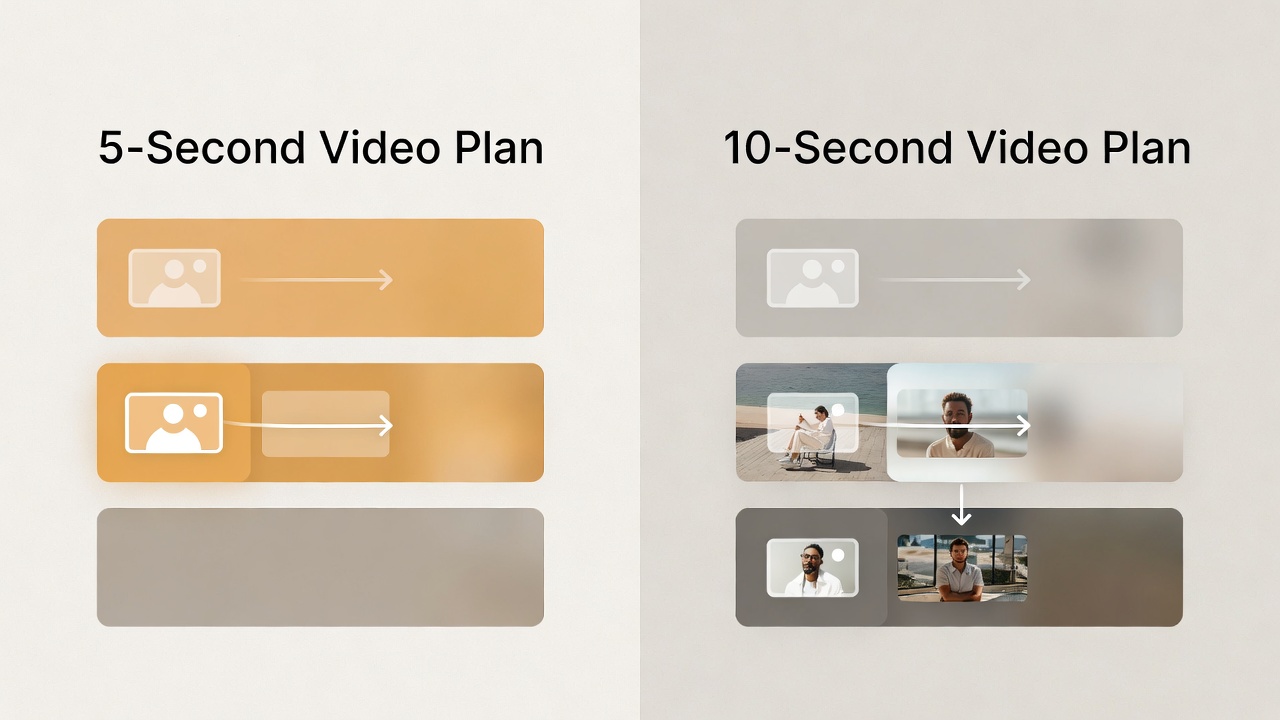
- For 5s clips, use 3 blocks: setup, action, ending frame.
- For 10s clips, use 4 blocks: setup, build, payoff, hold.
- Write camera movement only where it changes the result.
- Debug by changing one block at a time.
Why Timeline Prompting Matters in Short Clips
Without timing, a prompt often becomes a style paragraph. The model still has to guess rhythm.
With a seedance timeline prompt, you define what happens and when it happens.
That gives you three practical benefits:
- Better pacing: your clip does not rush the main action.
- Better clarity: the model has fewer sequencing guesses to make.
- Better reuse: one structure can be adapted across multiple ideas.
This is especially important when you work with 5s and 10s clips, because every second carries visible weight.
The Core Structure of a Seedance Timeline Prompt
Use this format:
[time block] + [visual action] + [camera instruction] + [ending intent]You do not need all four parts in every line, but you need timing plus action at minimum.
| Part | What it controls | Example |
|---|---|---|
| Time block | Rhythm and sequence | 0-2s, 2-4s, 4-5s |
| Visual action | What viewers see changing | character opens umbrella |
| Camera instruction | How the shot moves | start medium, slow push-in |
| Ending intent | Final usable frame | hold on logo for 0.5s |
A good seedance timeline prompt is simple enough to scan and specific enough to execute.

5-Second Template: Fast, Clean, Usable
For a 5-second output, use three blocks:
0-2s: Setup (subject + scene)
2-4s: Main action (the change viewers should notice)
4-5s: Ending frame (stable finish for reuse)
Copy-Ready 5s Template
0-2s: [Subject] in [Scene], establish mood quickly.
2-4s: [Main action], clear movement with one camera instruction.
4-5s: End on [final frame], hold briefly for a clean finish.
Atmosphere: [light/sound/tone].
Example 5s Prompt
0-2s: A cyclist waits at a rainy intersection at dusk, neon reflections on wet road.
2-4s: The light turns green; cyclist pushes forward and accelerates through frame. Camera tracks from slight front-left.
4-5s: End on a stable medium shot as the rider exits into the glowing street. Hold final frame briefly.
Atmosphere: cool blue rain haze, distant traffic ambience.
This seedance timeline prompt is short, but each second has a job.
10-Second Template: Add Build and Payoff
For 10 seconds, add one more story beat:
0-3s: Setup
3-6s: Build
6-9s: Payoff
9-10s: End hold
Copy-Ready 10s Template
0-3s: Establish [subject + scene + initial state].
3-6s: Introduce [key movement or interaction].
6-9s: Show [payoff/result] with the main camera motion.
9-10s: Hold on [usable ending frame].
Atmosphere: [tone + light + sound].
Example 10s Prompt
0-3s: A baker stands in a warm kitchen before sunrise, flour dust in soft light.
3-6s: She opens the oven and lifts a tray of bread. Camera moves from medium to close detail.
6-9s: Steam rises as she sets the bread on a wooden counter and smiles to camera.
9-10s: Hold on a clean hero frame of fresh bread and hands in frame.
Atmosphere: warm golden light, gentle room tone, cozy morning mood.
A structured seedance timeline prompt gives you control without writing long paragraphs.
Camera Language That Actually Helps Timing
Most failed prompts overload camera words. Keep it practical.
Use this 3-step method:
- Set the start frame once.
- Add one meaningful camera move in the middle.
- Define a stable end frame.
Bad camera line:
pan, tilt, orbit, drone shot, push, pull, handheld, one-shot
Better camera line:
Start medium shot, track forward during action, end on close-up and hold.
Quick Camera Map for Timeline Blocks
| Timing block | Camera suggestion | Why it works |
|---|---|---|
| Setup | Static or very light move | Lets viewers read the scene fast |
| Build | One clear move (track/push) | Supports momentum |
| Payoff | Slower move or stop | Keeps action readable |
| End hold | Stable frame | Gives reusable final shot |
If you use this map, your seedance timeline prompt will usually feel cleaner immediately.
Practical Rewrite: From Vague to Controlled
Vague Prompt
Cinematic city night scene, person runs and looks dramatic, high quality.
Rewritten as Timeline Prompt (5s)
0-2s: A young woman stands under a flickering neon sign in a narrow wet alley at night.
2-4s: She starts running toward camera; camera tracks backward to keep pace.
4-5s: She stops under a street lamp and looks directly at camera. Hold final frame.
Atmosphere: cool neon colors, light mist, distant siren ambience.
The second version is a usable seedance timeline prompt because it removes ambiguity.
A Fast Debug Loop That Saves Credits
When output is close but not right, do not rewrite the whole prompt.
Use this loop:
- Keep version
v1unchanged. - Duplicate to
v2. - Change one timeline block only.
- Compare and keep the better result.
Example changes:
- Change only
4-5send hold framing. - Change only
2-4scamera movement. - Change only setup clarity in
0-2s.
This is the most reliable way to improve a seedance timeline prompt without random trial and error.
Use-Case Templates You Can Reuse
Product Reveal (5s)
0-2s: Product rests on clean dark surface with subtle rim light.
2-4s: Product rotates slowly as camera pushes in to highlight key detail.
4-5s: End on centered front angle with logo area readable. Hold.
Atmosphere: studio clean, minimal ambient sound.
Character Intro (10s)
0-3s: Character enters a quiet hallway, silhouette visible.
3-6s: Character walks toward frame; camera tracks side angle.
6-9s: Character turns, reveals expression, pauses near window light.
9-10s: Hold on medium close-up.
Atmosphere: low-key contrast, soft room tone.
Before/After Visual (10s)
0-3s: Show before state clearly in static frame.
3-6s: Transition action begins; camera moves slightly to follow.
6-9s: Reveal after state with stronger light and cleaner composition.
9-10s: Hold final comparison frame.
Atmosphere: neutral and clean.
Each template is a practical seedance timeline prompt base you can adapt quickly.
Common Mistakes and Fixes
Mistake 1: No explicit end frame
Fix: always write the final one-second intention.
Mistake 2: Too many actions in one block
Fix: keep one major action per block.
Mistake 3: Camera changes every second
Fix: use one main move for the middle block.
Mistake 4: Style-only wording with no sequence
Fix: rewrite style words into observable actions.
15-Minute Practice Drill
If you want this method to become natural, run one short drill:
- Pick one simple idea (one character or one product).
- Write a 5s version using three timeline blocks.
- Write a 10s version of the same idea using four blocks.
- Generate both clips and compare pacing, camera clarity, and ending frame quality.
- Keep the better structure and save it as your base template.
This routine helps you build intuition fast. After three to five rounds, your seedance timeline prompt writing becomes much faster, and your first output quality usually improves because you are designing sequence first, not just visual style words.
Pre-Generate Checklist
Before clicking Generate, ask:
- Does each second block have one clear purpose?
- Is the main action placed in the middle, not at the end?
- Is the final frame stable and reusable?
- Did I limit camera direction to one useful move?
- Can another person read this and predict the clip?
If you can answer yes to at least four questions, your seedance timeline prompt is ready.
FAQ
Should I use timeline format for every prompt?
For quick experiments, not always. For repeatable production, yes.
Is timeline prompting only for cinematic scenes?
No. It works for product demos, social ads, talking characters, and brand visuals.
Do I need exact millisecond control?
No. Broad blocks (like 0-2s, 2-4s) are enough for short clips.
Why does my 10s clip still feel rushed?
Usually because setup is too long or too many actions are packed into one block.
What is the fastest fix when output is close?
Change one block only, regenerate once, then compare side by side.
Recommended Next Steps
- Start generating now
- Read the 5-element prompt method
- Learn image-to-video workflow
- Compare plans before batch testing
Final Takeaway
A good seedance timeline prompt is not about complexity. It is about clear timing.
Map each second to a purpose. Keep one major action per block. End on a frame you can actually use.
When you do that, short clips become predictable, editable, and much easier to scale.
Next step: Build your next 5s or 10s clip now
Disclaimer: This site is an independent product and is not an official Seedance service. Generated outputs may vary based on prompt quality, model behavior, and policy constraints.
Categories
More Posts

Seedance Workflow: History, Credits, and Repeatable Production
Build a reliable Seedance workflow with practical steps for generation history, credit control, and repeatable production routines for creators and small teams.

One-Shot AI Video Prompt: Make Smooth Videos Without Jump Cuts in Seedance 2.0
Use this one-shot AI video prompt guide to create continuous camera motion in Seedance 2.0, with practical 5s and 10s templates, fixes, and reusable workflows.

Seedance Prompt Guide: The 5-Element Method for Seedance 2.0
Use this Seedance prompt guide to write better prompts with a clear 5-element method: subject, scene, action, camera, and atmosphere.